Party games you can play with just phones
Everyone in the room already brought a games console. The trick is picking games that use it to point attention back at the room, rather than burying eight people in eight separate screens.
The test that actually matters
There is one question worth asking about any phone party game, and it is not whether the game is good.
Does it make people look at each other, or down?
A game where everyone stares into their own phone is a room full of people being alone together, and it dies after two rounds no matter how clever it is. The ones that work use the phone as a controller, a secret, or a tool — the actual game happens on a shared screen or in the conversation, and the phone is just how you reach it.
That gives four categories, in rough order of how well they hold a room.
1. The phone as a controller
The strongest category, and the one most people have not tried. One screen everybody can see — a TV, a laptop, a tablet propped up — and everyone's phone becomes a gamepad. Nobody needs the App Store; you scan a code or type a short one, and the phone turns into a pad.
This works because the game is on the wall. Everyone is watching the same thing, reacting to the same moment, and the phone in your hand is doing nothing worth looking at. It gets the room facing the same direction, which is the whole job.
What it needs:
- A screen the group can see, with a browser on it. A smart TV, a laptop plugged into the TV, or a tablet on a stand.
- Everyone on the same Wi-Fi.
- A way onto it — usually a QR code on the big screen.
The genres that suit it are quizzes, drawing and guessing games, trivia, and anything where a hidden answer is typed on your phone and revealed on the shared screen. Reaction and movement games work too, and are underused — those are the ones that get people shouting.
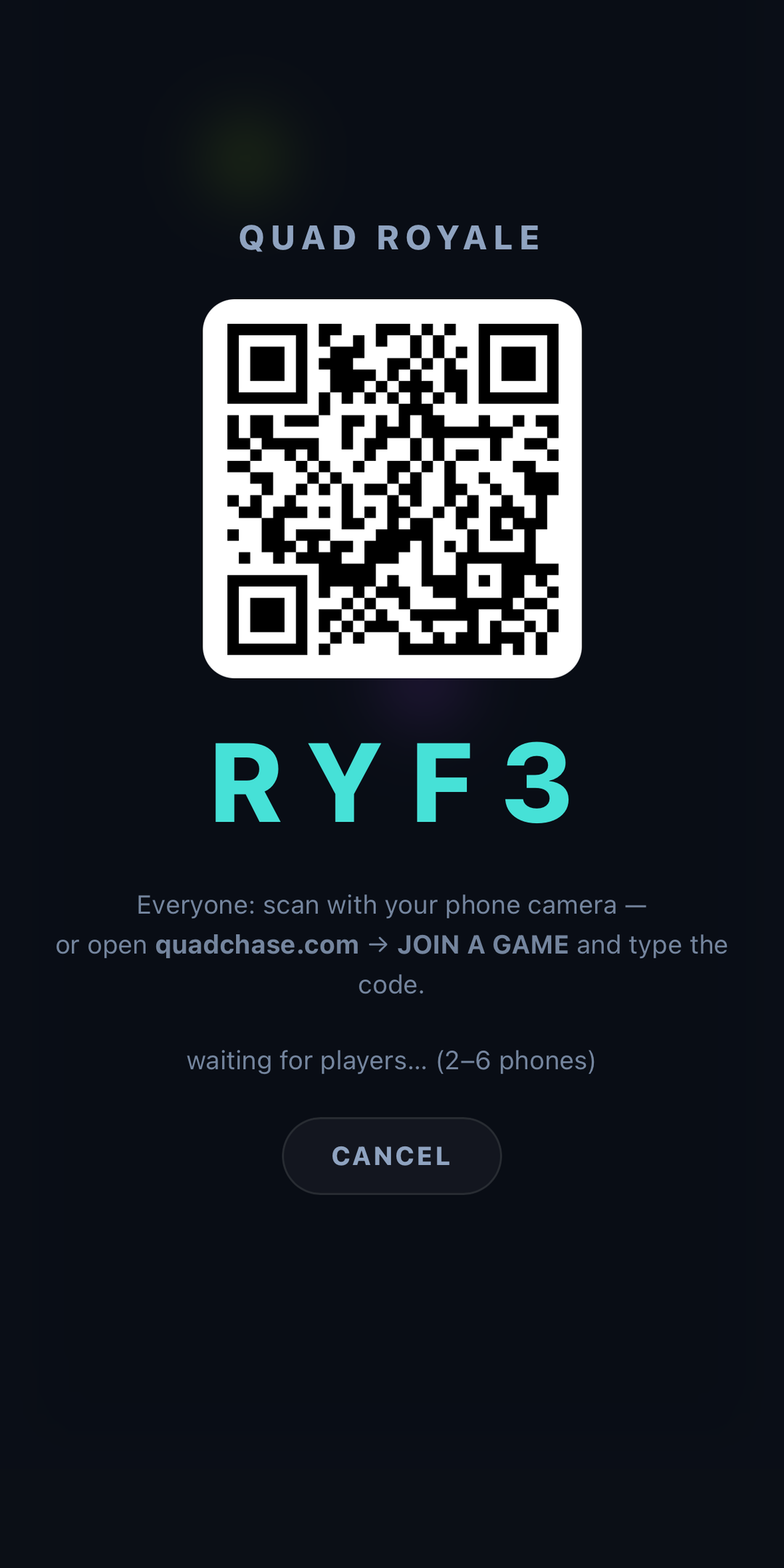
This is the category Quad Chase's party modes sit in. Up to six phones scan onto one screen: everyone runs from AI chasers until one is left, or the group splits into chasers and runners. It is free, browser-based, and nobody installs anything. There is more on the multiplayer page.
2. The phone as a secret
Best for talkers, and for groups too big to all hold a controller. Here the phone does almost nothing — it silently tells each player something the others do not know. The game itself is entirely conversation.
The classic shapes:
- Hidden roles. Everyone is secretly assigned a role — most are ordinary, one or two are not. The group talks, accuses, and votes. Werewolf and Mafia are the ancestors of this whole family, and their great advantage is that the phone is only a dealer of cards. Once roles are handed out, phones go in pockets.
- One person is missing the answer. Everyone gets the same word or place except one player, who has to bluff through questions without revealing they have no idea. The comedy comes from the bluffing, and it needs no screen at all after the reveal.
- Everyone writes, one is fake. Each person invents a plausible answer to a real question; the group has to spot the true one among the inventions.
You can run all three with no app whatsoever: one person acts as narrator, sends each player a private message, and never plays. That costs you one player and gives you complete control of the rules — often a better trade than it sounds, especially with a mixed group.
3. The phone as a tool
For when you want an old game and the phone is a prop. No app, no setup, no Wi-Fi. The phone is a timer, a buzzer, a random picker or a hat full of names.
- Charades and its relatives. A timer on the table and a notes app to hold the prompts. Everyone writes three on scraps of paper before you start, which is still better than any generated list.
- Categories. Pick a letter and a category; go round the circle until someone repeats or stalls. A timer makes it brutal.
- The picture round. Everyone finds a photo in their camera roll matching a prompt — worst haircut, best meal, most confusing — and the group votes. Costs nothing, works with any number, and reliably produces the best five minutes of the evening.
- Fishbowl. Names in a hat, three rounds of describing them: full sentences, then one word, then mime. A phone holds the list and the timer. The best party game on this page and it needs almost nothing.
4. Pass-and-play
The weakest category, but fine for two to four people on a sofa. One phone, handed around. Quiz games, drawing games, word games.
It scales badly — with eight people, seven are waiting — and the waiting is where a party dies. Keep it for small groups, or for the tail end of the night when there are four of you left.
Choosing quickly
| Category | Players | Needs | Best for |
|---|---|---|---|
| Phone as controller | 2–8 | A shared screen + Wi-Fi | Getting the room facing one way |
| Phone as a secret | 5–15 | Nothing, or a group chat | Big groups who like arguing |
| Phone as a tool | 4–20 | Nothing | Any group, any room, no setup |
| Pass-and-play | 2–4 | One phone | A sofa, late in the evening |
The Wi-Fi problem nobody warns you about
If you are running a phones-as-controllers game and some people connect while others cannot — or one person's controls lag badly while everyone else is fine — the cause is almost never the game.
Many routers have a setting called AP isolation or client isolation, switched on by default on most guest networks and some home ones. It stops devices on the same Wi-Fi from talking to each other directly. It is a sensible security feature in a café and exactly wrong for a living room, because these games work by connecting the phones to the screen directly.
When that path is blocked, the connection has to detour through a server on the internet — often on another continent — which is why the symptom is usually one or two people being fine and the rest being laggy or unable to join at all.
What to do about it:
- Use the main Wi-Fi, not the guest network. This fixes it most of the time and takes ten seconds.
- Check for "AP isolation", "client isolation" or "guest mode" in the router settings and turn it off for the evening.
- Make sure nobody is on mobile data. One person who never joined the Wi-Fi is the most common cause of "it works for everyone but Sam".
- Check the 2.4GHz and 5GHz bands are not separated. Some routers present them as two networks that cannot see each other.
Running it well
- Set it up before anyone arrives. Get the screen on, the game open and one phone joined. Ten minutes of an adult crouched behind a TV is how a games night dies before it starts.
- Have a charger out. Phones as controllers eat battery, and the person at 4% will quietly stop playing rather than say anything.
- One person learns the rules properly. Explaining as you go is fine; discovering the rules as a group is not.
- Short rounds, and change games early. Stop while people still want another one. The best moment to switch is just before anyone gets bored, which is always sooner than you think.
- Watch for the person who is not playing. Usually they could not join, and were too polite to interrupt. Ask.
- Have a no-Wi-Fi game ready. Something from the tool category, in case the network turns out to be the problem after all.
If you want to try one now
Quad Chase is a free browser game with a party mode built for this: put it on the biggest screen in the room, up to six people scan the code, and their phones become controllers. Everyone runs from the chasers until one is left, or the group picks sides and hunts each other. No accounts, no installs, and it works on whatever phones people brought.
If the group would rather be outside, the same idea without any screens at all is on the tag games page.
PLAY QUAD CHASE